CSS Minifier and Compressor Online 2026
We improve and update our CSS compression tool weekly to achieve the highest possible results. The current version is 2.03.
What are the benefits of CSS code minification?
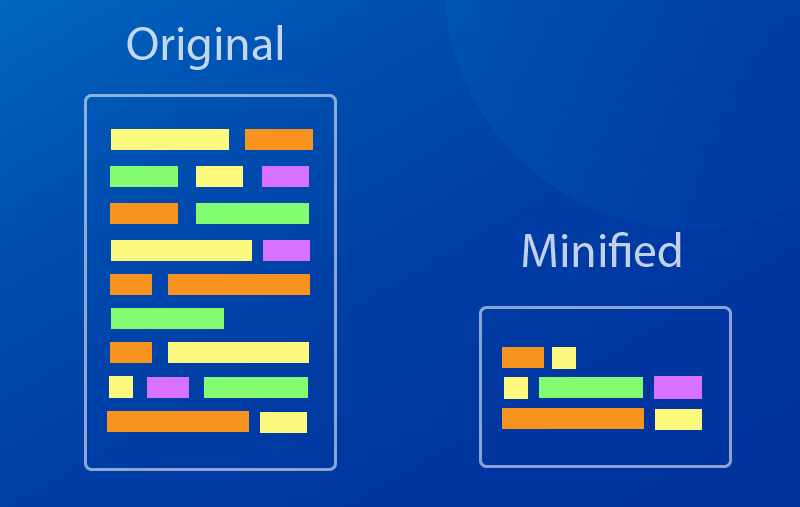
Although the main goal is reducing file size, this leads to a chain reaction of positive effects.
- Faster Page Load Speed:
This is the main benefit. Proper CSS minification is critical for speed improvement, especially when accessing sites from mobile devices. Smaller file size = faster download. The browser downloads, parses (processes), and applies styles faster. - Improved User Experience (UX):
No one likes waiting. Fast sites provide more enjoyment for users, and they are less likely to leave without waiting for the page to load. - Reduced "First Contentful Paint" (FCP):
FCP is a metric measuring how quickly a user sees the first content on the screen. CSS blocks rendering — until it is loaded and processed, the user sees a white screen. CSS minification directly reduces this time. - Improved SEO (Search Engine Optimization):
Since 2010, Google has officially used site speed as a ranking factor. In 2021, with the introduction of Core Web Vitals (including FCP and LCP), this link became even stronger. Faster sites = higher search rankings. - Bandwidth Savings and Reduced Server Load:
Smaller files save not only time but also data. This is critical for users with mobile devices or slow internet. For the site owner, this means reduced hosting and CDN (Content Delivery Network) costs.
What is CSS and What is Minification?
What is CSS?
CSS (Cascading Style Sheets) is the language responsible for the appearance of a web page. If HTML is the site's "skeleton" (structure), then CSS is its (colors, fonts, margins, element layout).
When we developers write CSS code, we strive for readability. We use:
- Indentation for nesting;
- Line breaks to separate rules;
- Spaces for alignment;
- Comments to explain complex sections of code.
The result is a file that is easy to read and maintain. For example:
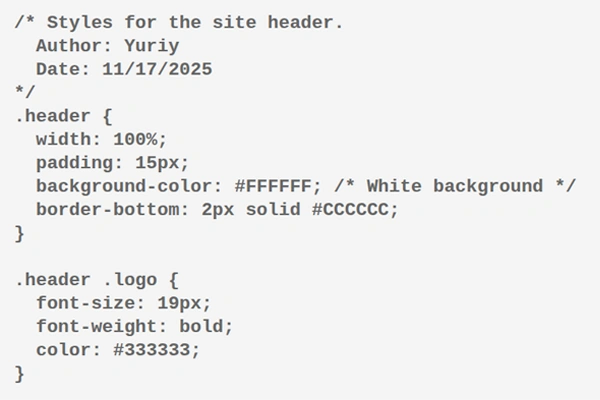
This code is understandable to a human. But for a browser, 90% of this code is "garbage".
What is Minification?
Minification is the process of removing all unnecessary characters from source code (in this case, CSS) without changing its functionality.
A CSS minifier is a tool (program, script, or web service) that automatically performs this process.
It takes our readable "source" CSS file and it eliminates the superfluous, creating a new, much smaller file that will be used on the "live" site.
How Does a CSS Minifier Work?
Let's see what a minifier does to our code example above:

What exactly happened?
- All comments removed: The browser doesn't need our notes.
- All line breaks removed: The code is compressed into one long string.
- All extra spaces removed: Spaces around
{,},:,;are unnecessary. Only those separating values (e.g.,24pxandbold) are kept. - Semicolons (
;) removed from the last rules: The semicolon after the last property in a block (color: #333333;) is not mandatory. - Values optimized:
-
#FFFFFF(6 characters) turned into#fff(3 characters). #CCCCCCturned into#ccc.#333333turned into#333.-
font-weight: boldwas replaced withfont-weight: 700(in some minifiers, as700is shorter).
-
- Leading zeros removed: If we had a value of
0.5em, it would turn into.5em.
As a result, the file size can decrease by 20-70%. When your project grows to thousands of lines of CSS, this saving becomes colossal.
Advanced Optimization Techniques
Modern minifiers, like our CSS Minifier online, go even further. They don't just remove characters; they structurally rewrite CSS for maximum efficiency.
1. Merging Rules with Identical Selectors
Before:
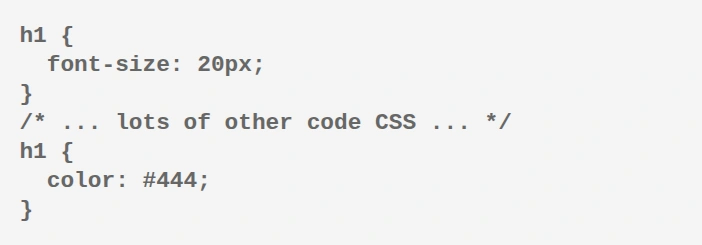
After:

2. Merging Selectors
Before:
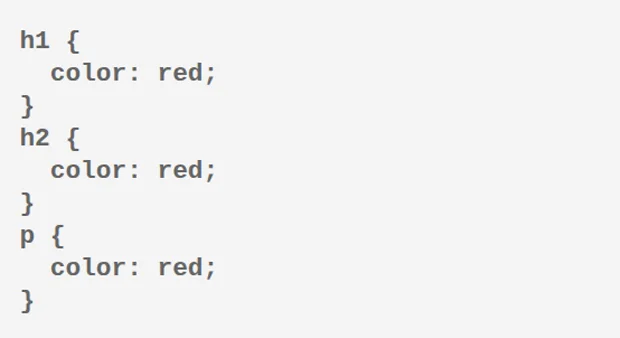
After:

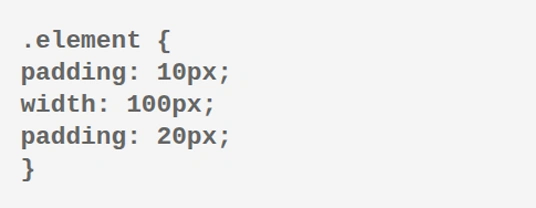
3. Removing Overridden Properties
Before:
After:

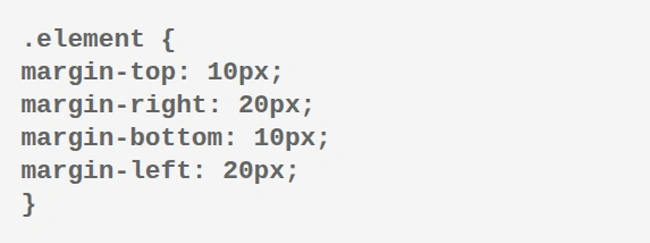
4. Property Merging
Before:
After:

How to use this tool?
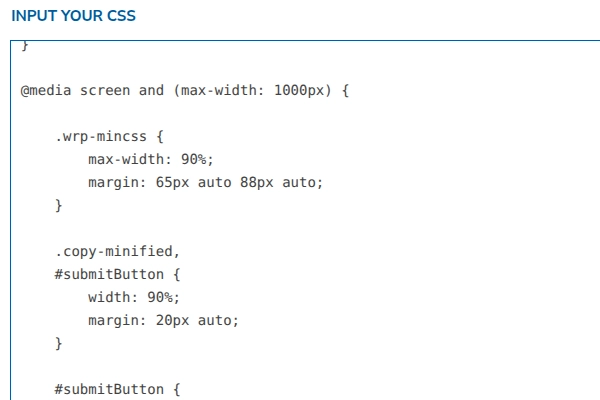
1. In the first field, paste or type in your CSS code that you want to compress.
2. A "Compress CSS" button will appear below; click it.
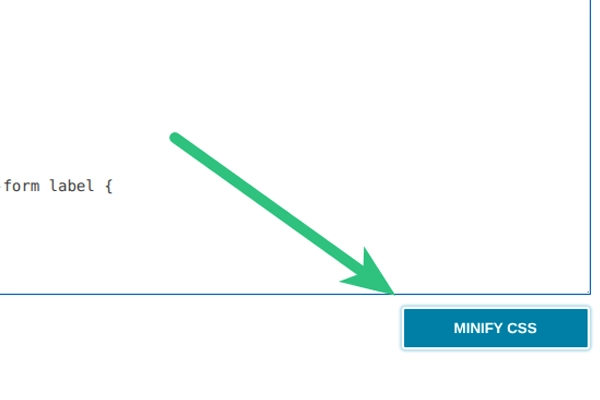
3. If your CSS code is correct, the second field will contain the ready-to-use code for your applications.
4. Two methods will be available for you to copy the ready-to-use code:
The first, and most convenient, method is by clicking the additional button labeled "Copy Compressed CSS". Your code will then be copied to the clipboard, allowing you to easily paste it where needed.
The second method is suitable for those who need partial copying: you can simply select the desired fragment from the second field and copy it in the standard way.
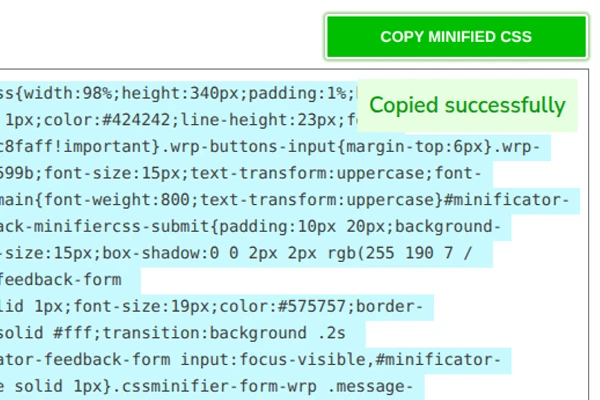
5. Copying Safety.
We have taken care to protect the ready-to-use code from accidental changes during copying, so you no longer need to worry about this.
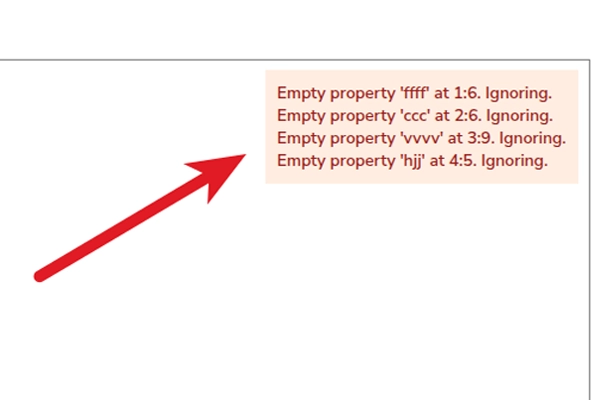
6. What do the errors mean?
Typically, error messages appear when the tool detects incorrect CSS code. It specifies the line where the error was found and provides a description of the error itself, which greatly facilitates the correction of your code.
Your feedback is important to us
We use it to improve the "CSS Minifier and Compressor" tool.